

Create a workflow by chatting
The fastest way to make a workflow isn’t the editor — it’s describing what you want in plain language. Catalyst designs the graph, wires the nodes, and hands you a workflow you can save, run, or open in the editor to fine-tune. This is also how you promote a chat: worked something out in conversation and want it to be repeatable? Just ask.
Ask for it
Section titled “Ask for it”-
Describe the workflow in any chat. Be specific about the input, the steps, and what you want back:
Build me a workflow: take a “topic” as input, have a model write a tight 5-bullet executive brief on it, and return the brief. Show it to me so I can save it.
-
Catalyst designs it. It loads a built-in skill that teaches the model how to express a real, runnable workflow, then returns it as an artifact: a card in the conversation plus a live preview of the graph in the side panel.
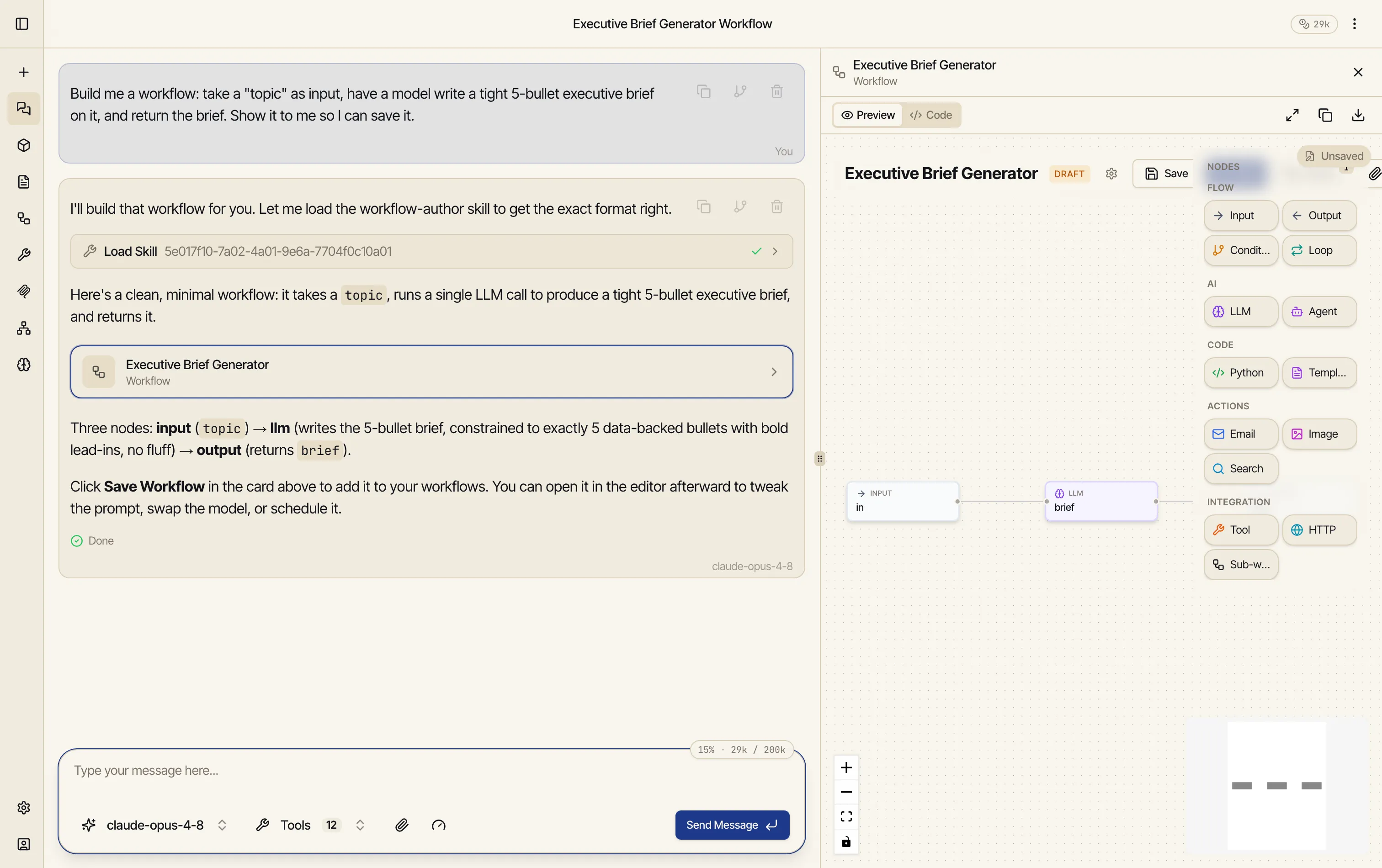
Notice it explains the design in words too — “input (topic) → llm (writes the brief) → output (returns brief)” — so you can sanity-check the structure before saving.
-
Save, run, or refine from the artifact panel:
- Save — it becomes a permanent workflow in your Workflows list, ready to schedule or run again.
- Run — try it right away; you don’t have to save first.
- Open in the editor — fine-tune nodes, prompts, or wiring by hand.
- Edit with AI — keep refining it in conversation; your changes map back to the same workflow.
Here it is end to end — one request, a designed workflow:
It handles bigger asks too
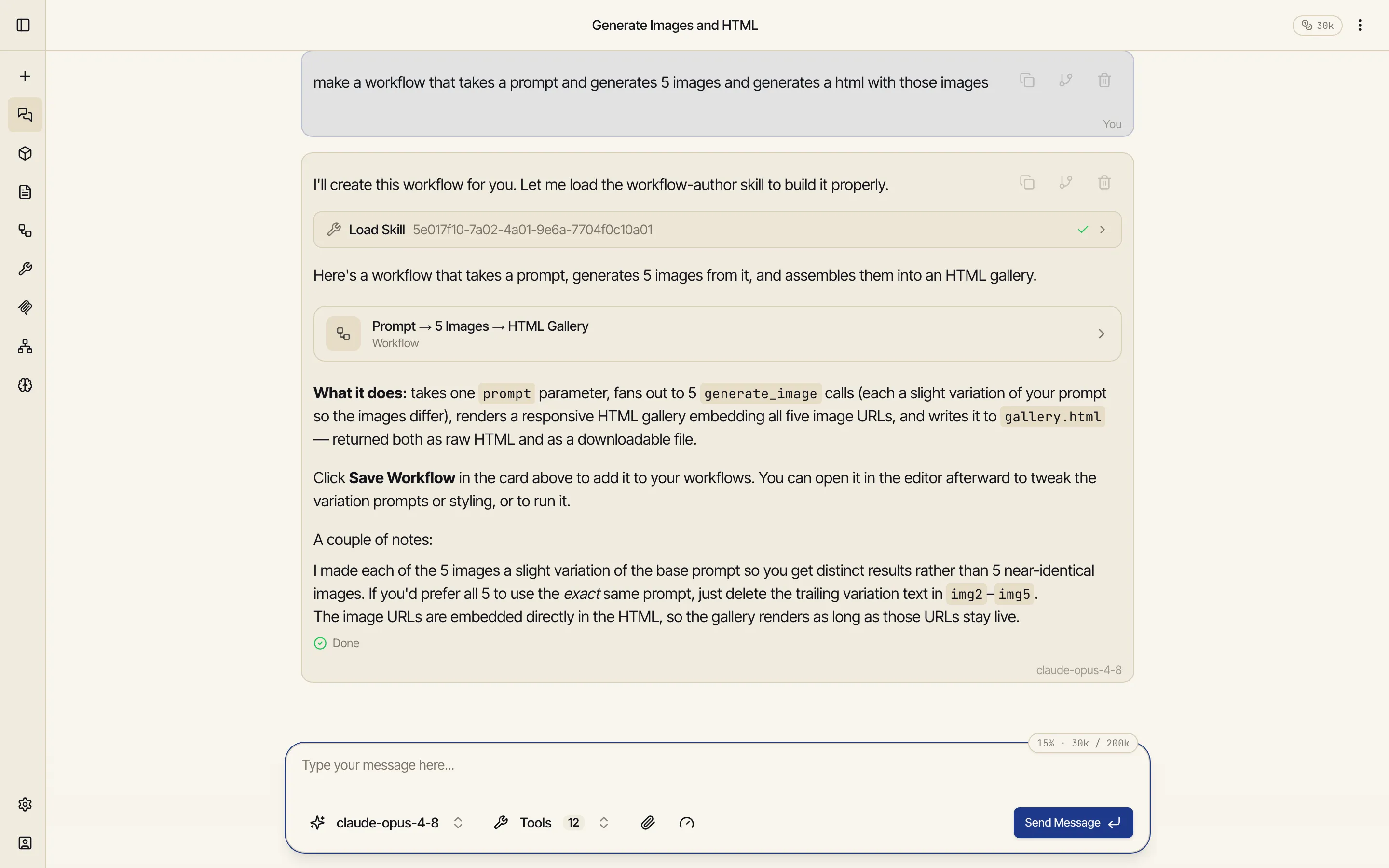
Section titled “It handles bigger asks too”The same request style scales to multi-step workflows. A single prompt — “make a workflow that takes a prompt, generates 5 images, and assembles them into an HTML gallery” — produces an input for the prompt, a step that fans out to five image generations, and a step that builds the gallery page:
When to chat vs. build by hand
Section titled “When to chat vs. build by hand”- Chat when you can describe the outcome, or you’ve already done the task once in conversation and want to lock it in — the model has the context and usually nails the structure.
- Build in the editor when you want precise control over every node from the outset, or you’re learning how the pieces fit together.
Both produce the same kind of saved workflow — pick whichever gets you there faster, and switch between them any time (chat-built workflows open in the editor; and in the editor, an Edit with AI assistant can keep refining any workflow in place).