

Repeatable
The same steps run the same way every time — no re-prompting, no drift.
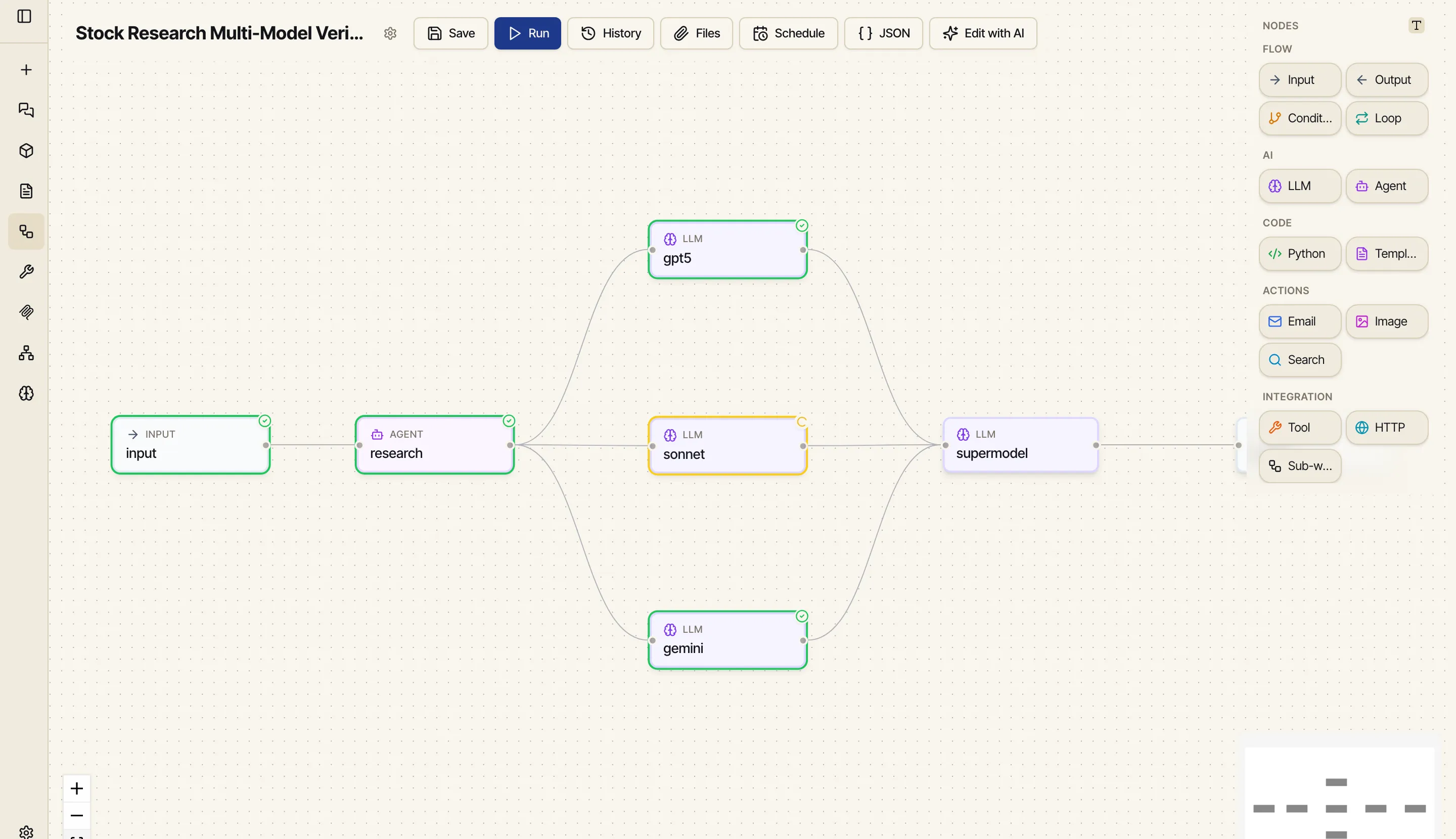
Chat is great for figuring something out once. A workflow is for when you need that something to happen every time — reliably, in the same order, without you driving it by hand. It’s a visual graph: boxes (nodes) that each do one job — call a model, run code, hit an API, send an email — connected so the output of one flows into the next.
Repeatable
The same steps run the same way every time — no re-prompting, no drift.
Automatic
Run it on a schedule and have the result emailed to you, hands-off.
Composable
Mix models, code, your tools, and your data in one pipeline — and reuse one workflow inside another.
Auditable
Every run is saved with its inputs and per-step outputs, so you can see exactly what happened.
A workflow is a set of nodes wired together. Each node has a type that decides what it does — take input, call a model, run Python, render a template, call a tool, branch on a condition, loop over a list, or call another workflow. You connect them by referencing one node’s output in another’s input, and Catalyst figures out the order to run them in.
A workflow can also take a picture as input and hand it to a vision model — see Give a workflow an image to look at.
The full list, with what each one is for, is in the Node reference.
Either way you get the same thing: a saved workflow you can run, schedule, and edit.
Run a workflow on demand and watch each node light up as it executes, or set it on a schedule so it runs by itself. Workflows can email you the result and attach files, so a scheduled workflow becomes a report that just shows up in your inbox. And whether you start a run by hand or it fires on a schedule, a floating runs indicator keeps it visible from any page and notifies you the moment it finishes.