

Adding a provider
Beyond the built-in models, you can connect your own. Add a service with your API key and its models join the picker alongside everything else — same chat, same workflows, same switching.
Adding a provider from a template
Section titled “Adding a provider from a template”-
Open AI Services from the sidebar and click Add Service.
-
Choose From Template and pick your provider. Catalyst has templates for around twenty of them — OpenAI, Anthropic, Google AI, xAI, Groq, Cerebras, Fireworks, DeepSeek, Mistral, Qwen, Moonshot, Together AI, OpenRouter, Perplexity, Cohere, Azure OpenAI, AWS Bedrock, Hugging Face, Replicate, and Ollama.
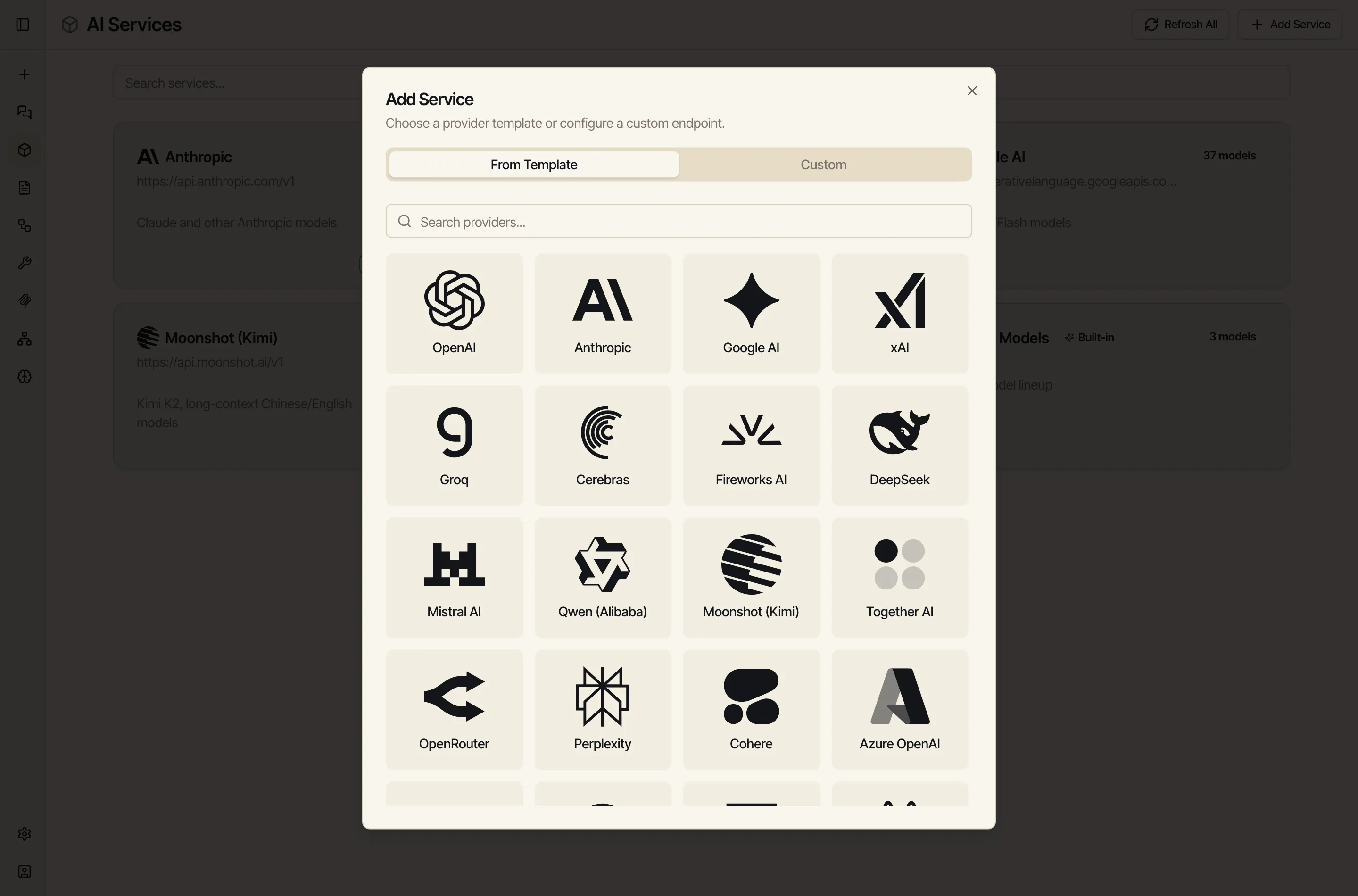
-
The template fills in the endpoint for you. Paste your API key for that provider and save.
-
The provider’s models now appear in AI Services and in the model picker. Set a default or pin the ones you want close at hand.
Custom endpoints
Section titled “Custom endpoints”If your provider isn’t in the list, choose Custom instead and enter the endpoint yourself. Anything that speaks the common OpenAI-compatible API will work — including models you host on your own infrastructure.
Running models locally with Ollama
Section titled “Running models locally with Ollama”Ollama runs open models on your own machine. Add it like any other provider (there’s a template), pointing Catalyst at your Ollama address. A couple of notes:
- If Catalyst runs in the cloud and Ollama runs on your laptop, the cloud can’t reach
localhost. Connect the machine first with a Network device, then point the Ollama service at it. - Local models that “think” before answering are controlled by the same reasoning-effort setting; set it to off for a quick, direct answer.
Your keys stay yours
Section titled “Your keys stay yours”API keys you add are stored on the workspace and used only to call the provider on your behalf — they’re never sent to the browser or shown in the model list.