

Live web pages
HTML/CSS/JS (and libraries like Three.js) run in a safe, sandboxed preview you can actually interact with.
Some replies aren’t conversation — they’re deliverables. A block of code, a written document, a diagram, a working web page. Catalyst pulls these out of the chat scroll into an artifact: a panel beside the conversation where the thing actually renders, updates as the model revises it, and can be downloaded.
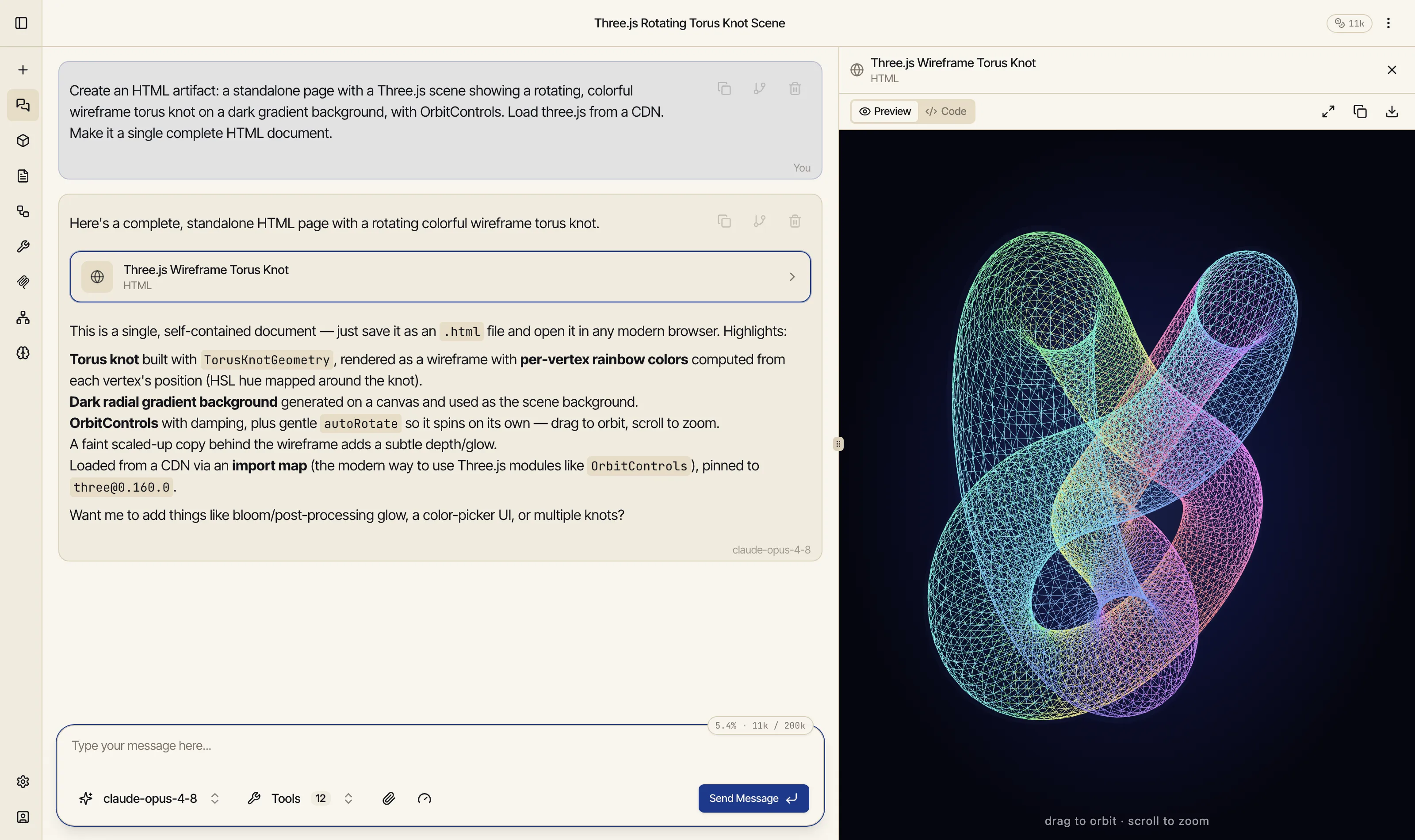
Here the model was asked for a Three.js scene. It wrote a complete HTML page and the artifact panel opened on the right with the result running live — an interactive, orbitable 3D torus knot, not a screenshot of one:
Live web pages
HTML/CSS/JS (and libraries like Three.js) run in a safe, sandboxed preview you can actually interact with.
Code
Syntax-highlighted in the right language, ready to copy or download.
Documents
Formatted Markdown you can read, refine, and export to Word or PDF.
Diagrams & SVG
Mermaid flowcharts, sequence diagrams, and vector graphics, rendered live.
Every artifact panel gives you two views, switchable at the top:
From the panel you can copy the contents or download the file, and documents can be exported to Word or PDF. The panel is resizable; on a phone it takes over the full screen instead of splitting the view. It opens automatically the first time the model produces an artifact in a response.
Artifacts are versioned. When you ask the model to change something — “make the knot spin faster,” “add a color picker,” “fix that bug” — it produces a new version rather than overwriting the old one. Step back through earlier takes with the version switcher, so experimenting is safe: nothing good is ever lost to a revision.
Artifacts are on by default. If you’d rather everything stay inline in the conversation, you can disable them in your account settings.