

Build a mini app
The fastest way to get a mini app is to ask for one in chat. You describe what you want, the assistant builds any workflows it needs and writes the app, and it opens as a live, working preview right next to the conversation. Then you use it — and you change it by simply asking again.
Ask in chat
Section titled “Ask in chat”-
Describe the app you want in any chat. Be concrete about what it should do, what it should track, and what you want to see:
Build me an expense tracker that logs what I spend, breaks it down by category, and shows my total for the month.
-
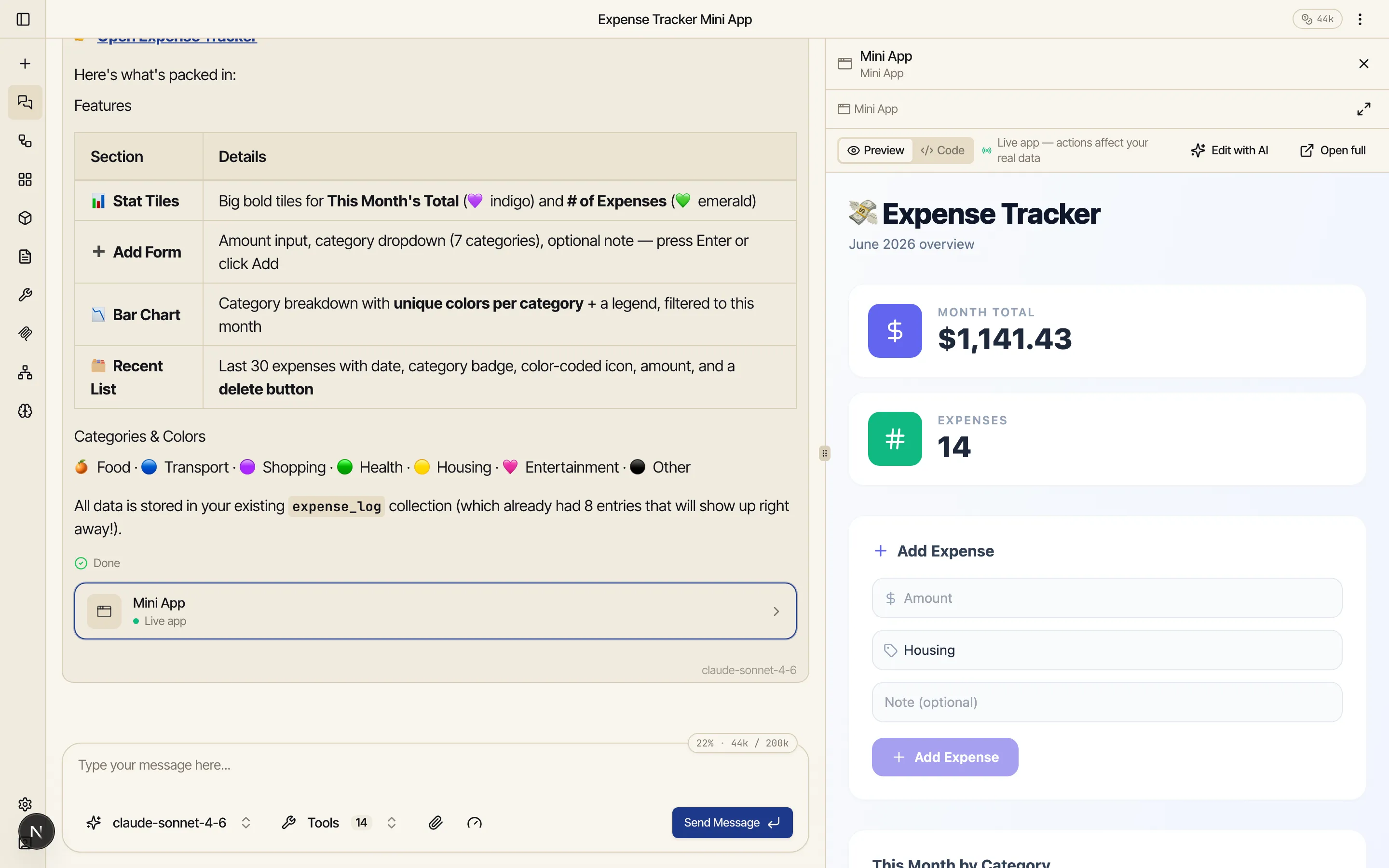
The assistant builds it. It figures out what data the app needs, builds the workflow that does the logging, writes the app, and opens it in a side panel next to the conversation. There’s nothing to set up first — if it needs a place to store expenses, it creates that too.
Test it live
Section titled “Test it live”The preview isn’t a mockup — it’s the real, working app running against your real data. There’s a subtle Live app marker on it as a reminder: a button you click really runs the workflow behind it, and an entry you add really gets written to your collection.
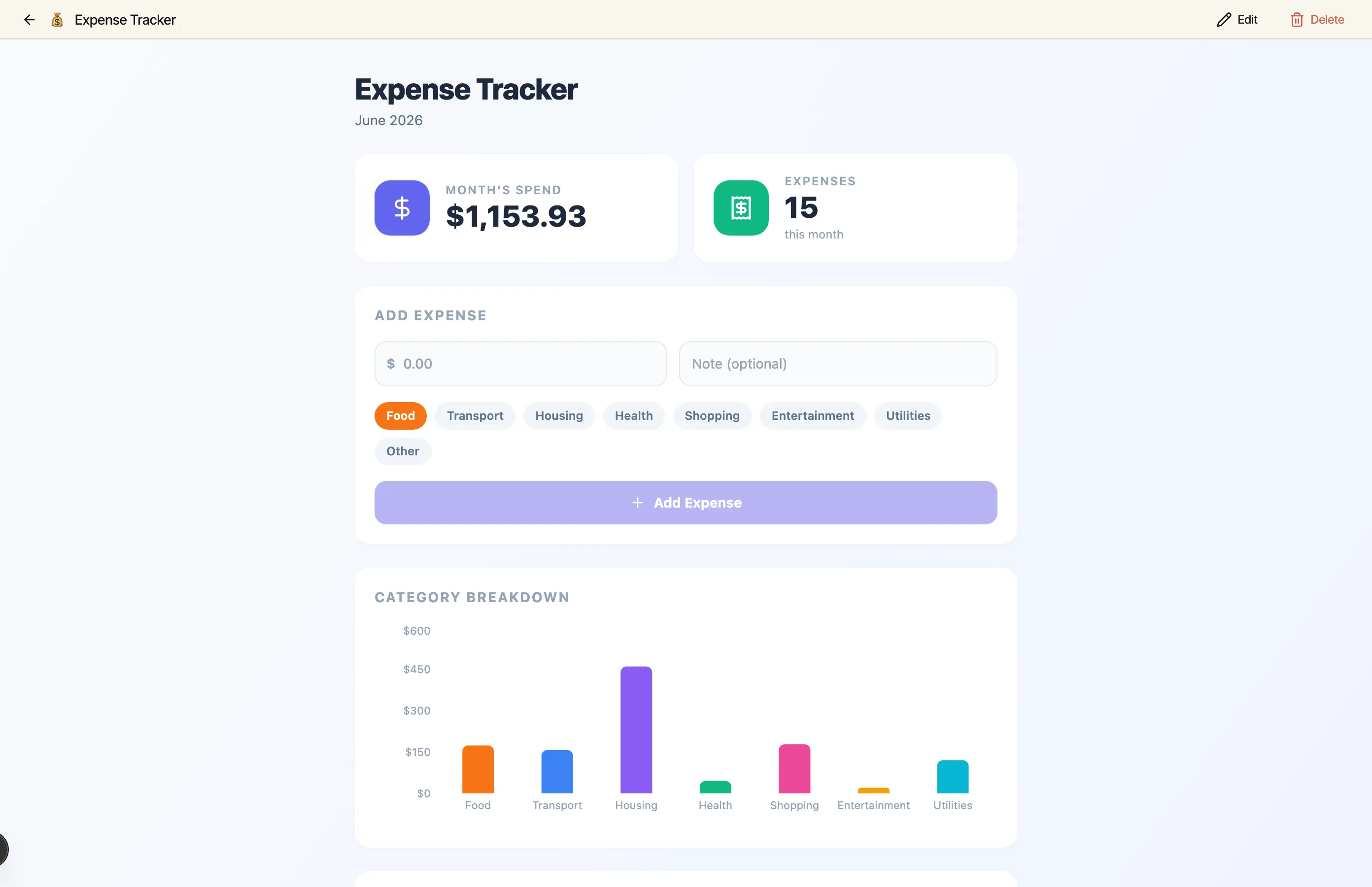
Try it right away. Log an expense and watch the total and the category chart update to match. Add a few entries, see the numbers move, and decide what you’d change.
If you close the panel, the conversation keeps a small mini app chip you can click to reopen the live preview — the app is always one tap away while you’re still in that chat. There’s also an Open full action to view the app on its own page.
Iterate by asking
Section titled “Iterate by asking”The simplest way to change an app is to keep talking. Tell the assistant what you want different:
Add a chart. · Make it blue. · Show this week instead of the whole month.
It rewrites the app and the preview reloads to the new version in place — same panel, same app, just updated. This is how most editing happens: ask, look, ask again, until it’s right.
The same goes for libraries. Mini apps are React components, so you can ask for a charting
library, an animation, a confetti button (“add a confetti button using canvas-confetti”) — the
assistant adds the package and writes the code that uses it, with nothing for you to install. A
built-in set of libraries is always available, and anything else is one request away. See
Libraries in mini apps for what’s included and what the sandbox allows.
What got built
Section titled “What got built”When the assistant builds an app it usually creates two things behind the scenes:
- A collection — where the app stores its data (the
expense_logabove). Collections persist between runs and are shared across your whole account, so other apps, chats, and workflows can use the same data. See Store data between runs. - One or more workflows — the steps the app runs to do its work (logging an expense, computing a monthly total). These are normal workflows you can open, run, and schedule on their own.
The app is the friendly face; the collection and the workflows are the parts that do the work. The app is only allowed to touch the specific ones it was given — see Data & permissions.
Related
Section titled “Related”- Editing apps — the three-pane editor and Edit with AI.
- Agentic mode — the chat where the assistant builds and changes your apps.
- Store data between runs — the collections an app reads and writes.