

A system instruction
The standing guidance — tone, rules, role — applied to every chat that uses the prompt.
A prompt in Catalyst is more than a saved instruction. It’s a reusable bundle you can attach to any conversation that carries its own system instruction, a knowledge base of documents, optional data/SQL, and tools — so selecting a prompt sets the model up for a specific job in one click.
Press ⌘P (or open the prompt picker) in chat and choose one. From that point the
conversation runs with the prompt’s instruction, documents, and tools in place.
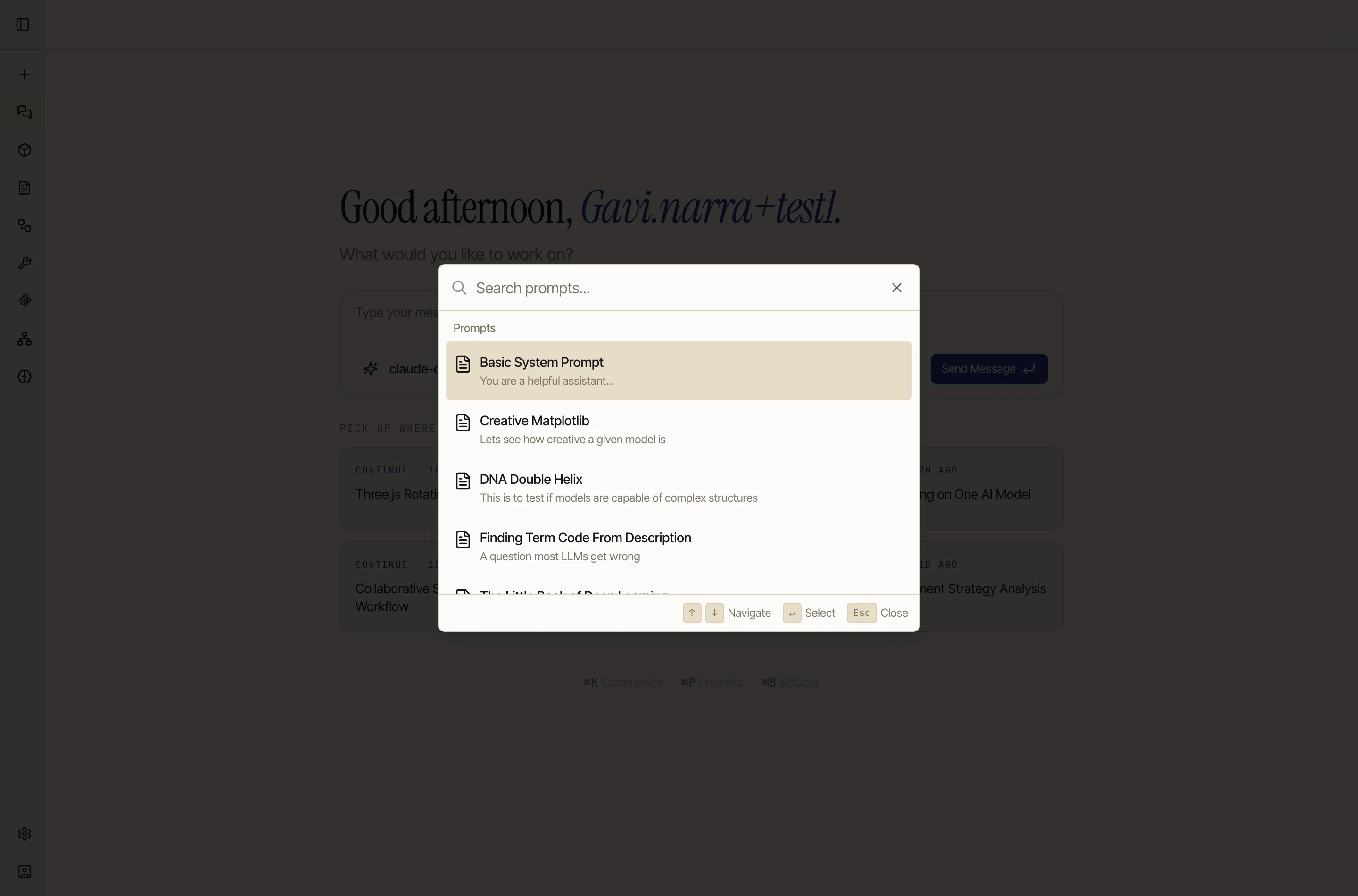
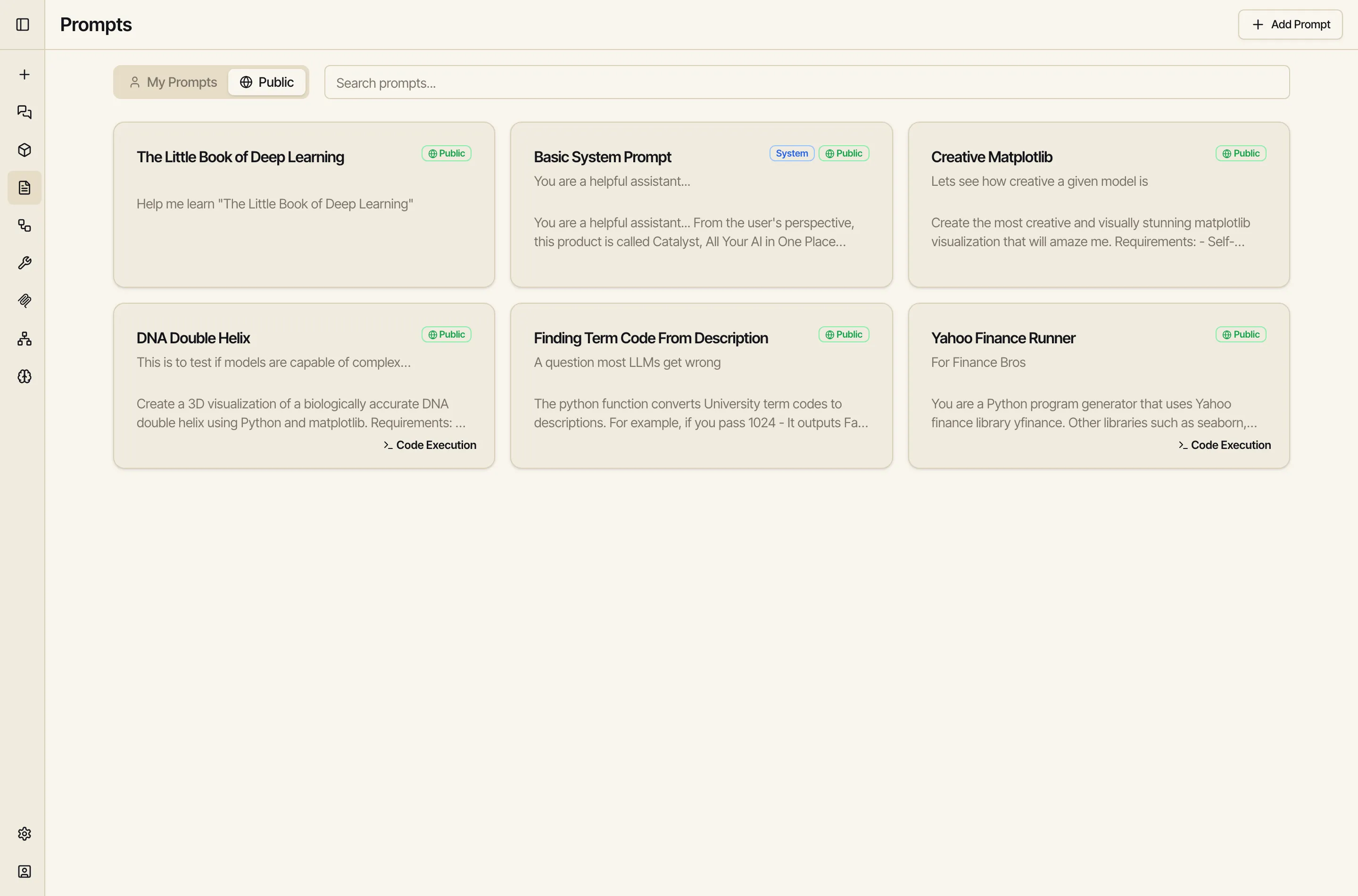
You can save your own (Add Prompt on the Prompts screen) or browse Public prompts shared across the workspace:
This is what makes prompts powerful: a prompt can carry attached documents, and Catalyst turns them into a searchable vector knowledge base. Drop in a PDF, a spec, a handbook — even a whole book — and the model can pull the relevant passages on demand while you chat.
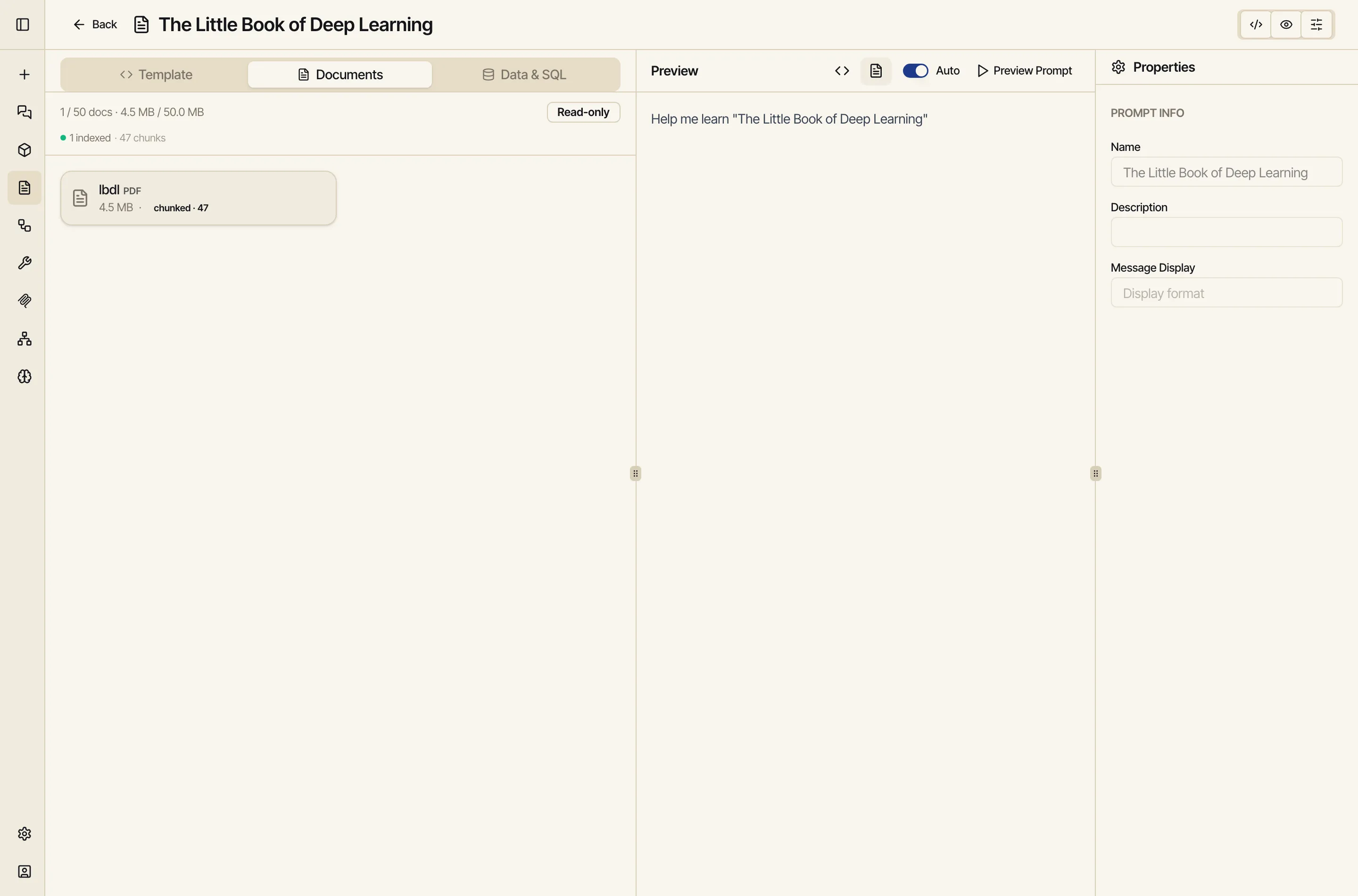
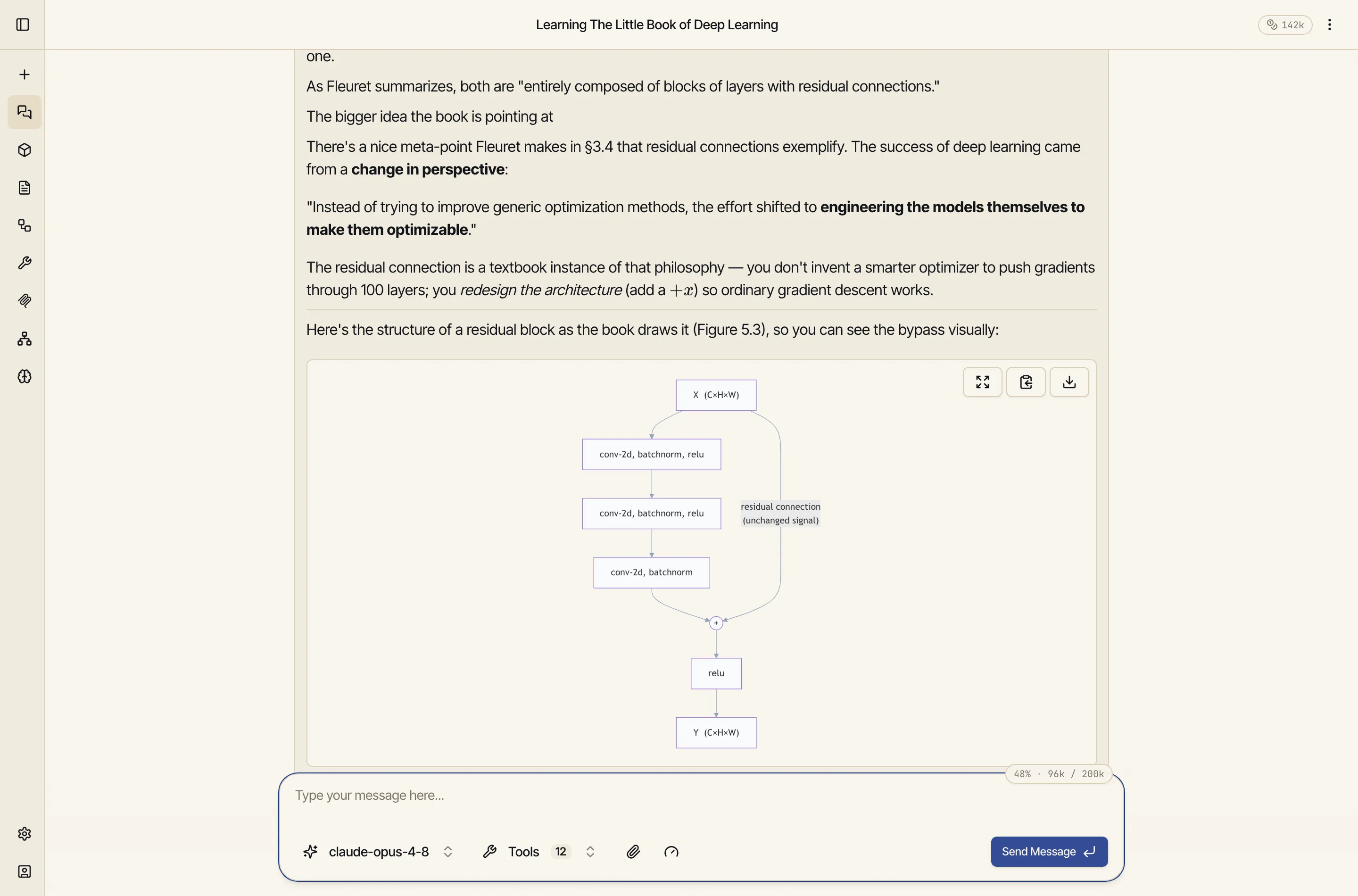
Here a prompt called The Little Book of Deep Learning has the whole book (a 4.5 MB PDF) attached. Catalyst split it into 47 searchable chunks and embedded them. Now any chat that uses this prompt can ask questions about the book and get answers grounded in the actual text:
How the documents are handled, automatically:
A system instruction
The standing guidance — tone, rules, role — applied to every chat that uses the prompt.
Documents
The vector knowledge base above — inline for small files, chunked & searchable for large.
Data & SQL
Bind the prompt to a data source and queries, so the model works against the right data.
Tools
Pre-select the integrations the model should have available for this job.
A prompt’s system instruction can use the same template variables as a
skill. Catalyst
renders the body against your live account context — your default image model,
your entitlements, your timezone, today’s date — so a single prompt adapts per
user. The syntax is identical Jinja: {{ variable }} to insert, and
{% if … %} / {% for … %} for logic.
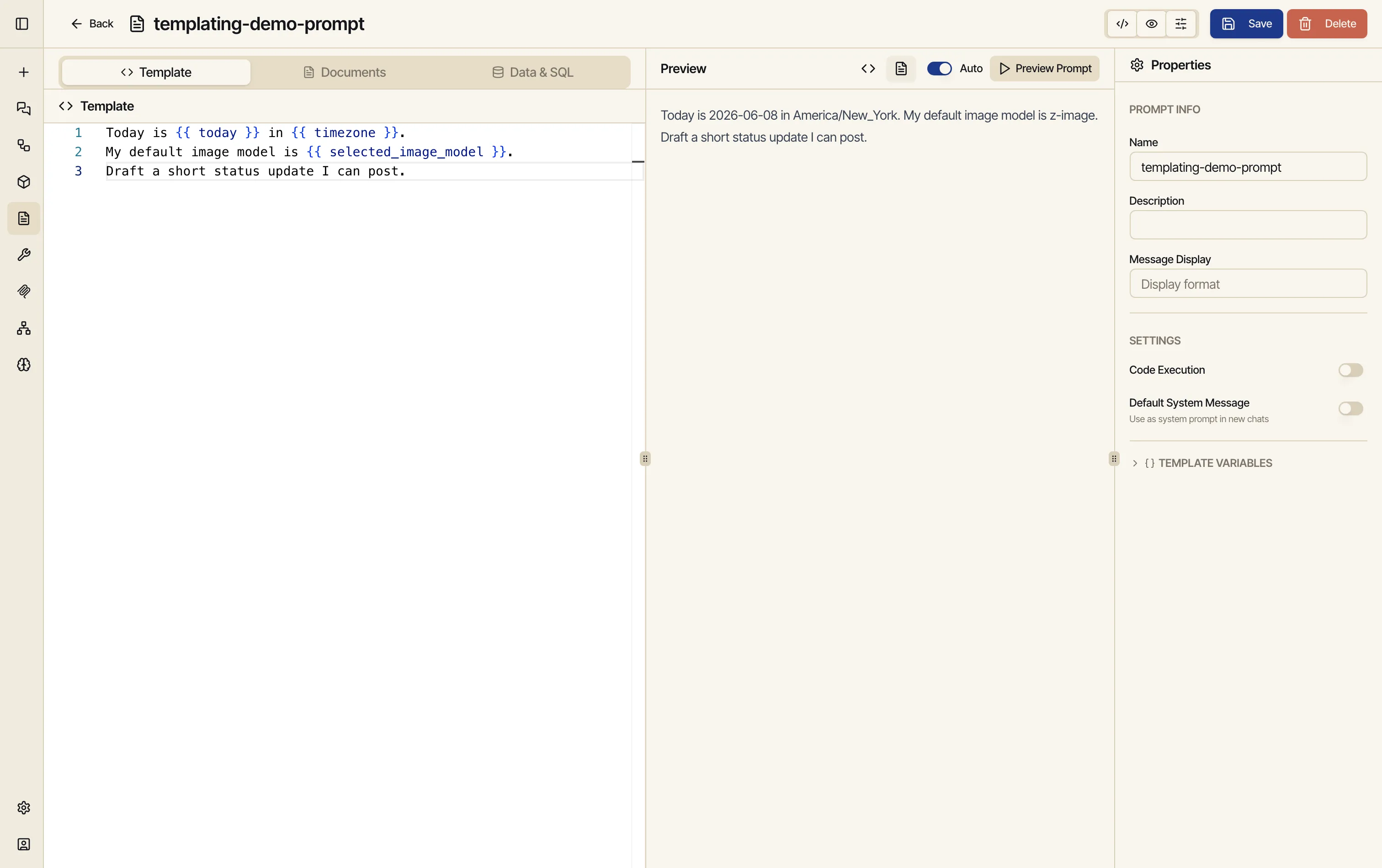
The full variable list lives in the Skills guide — the canonical reference, kept in one place. In short, you can branch on the user’s image models, entitlements, environment, settings, timezone, and the current date.
Make a prompt public and others in the workspace can use it — and its attached documents come along. They can run the prompt and query its knowledge base, while the raw files stay owned by you. It’s how one person can package a book, a methodology, or a dataset into something the whole team can simply select and use.
These three personalization tools are easy to confuse: